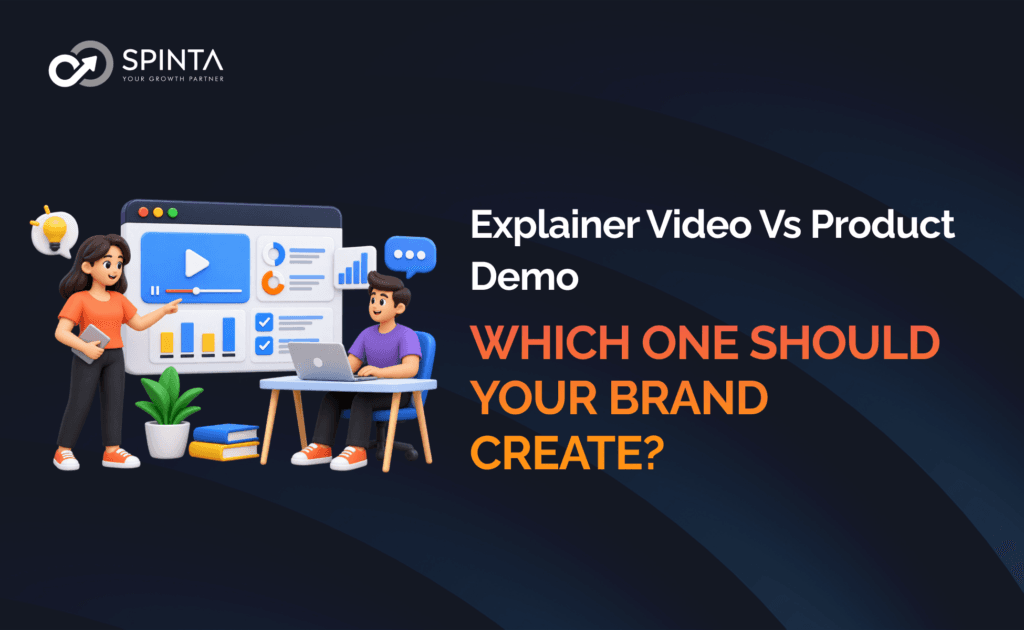
A good product video can make a complicated idea easier to understand.
But not every video should try to do the same job.
An explainer video might help someone understand a problem, concept or solution.
A product demo might show someone exactly how a product works.
Those objectives overlap, but they are not identical.
Choosing the wrong format can leave you with a video that looks polished but fails to answer the question your audience actually has.
So before deciding on production, ask:
Does the audience need to understand the idea, or do they need to see the product in action?
Spinta’s Creative Media offering includes Video Production and Photoshoot, with visual storytelling and audience experience among its stated focus areas.
What is an explainer video?
An explainer video is designed primarily to make something easier to understand.
It can explain:
- A product
- A service
- A process
- A problem
- A business concept
- A technology
- A new idea
- A customer journey
The product itself may appear in the video, but the primary objective is clarity.
A good explainer answers:
“What is this, why does it matter and how does it solve the problem?”
What is a product demo?
A product demo is designed primarily to show the product working.
It can demonstrate:
- Features
- Functions
- Processes
- Interfaces
- Product use
- Setup
- Workflows
- Results
The audience should finish the video with a clearer understanding of:
“How does this actually work?”
That distinction is important.
Explainer video vs product demo
Explainer Video | Product Demo |
Explains an idea | Shows the product in action |
Focuses on clarity | Focuses on demonstration |
Can introduce a problem | Usually starts with the product |
Useful earlier in the journey | Often useful during consideration |
Can use animation or storytelling | Often relies on real product footage |
Simplifies complexity | Demonstrates functionality |
Answers “What and why?” | Answers “How?” |
These formats can also be combined.
A video could introduce the problem, explain the solution and then demonstrate the product.
But if production resources are limited, defining the primary objective first will make the decision easier.
When should you create an explainer video?
1. Your product is difficult to understand
If someone cannot understand the value proposition quickly, an explainer can help.
This is particularly useful for:
- Technology products
- Software
- New categories
- Complex services
- New business models
- Products with unfamiliar terminology
The video can simplify the concept before asking the audience to consider the product.
2. You are introducing a new concept
Sometimes customers understand the problem but not the proposed solution.
An explainer can bridge that gap.
For example:
Problem → Why existing approaches are limited → New approach → How it helps
This is particularly useful when the product requires some education before evaluation.
3. Your audience needs context before the product
A product demo can show how something works.
But what if the audience does not yet understand why they should care?
An explainer can establish:
- The problem
- The context
- The stakes
- The solution
- The value
Only then does the audience need the detailed product demonstration.
4. The product is visually demonstrable
Some products naturally lend themselves to demonstration.
Examples include:
- Software
- Consumer electronics
- Appliances
- Tools
- Equipment
- Beauty products
- Food preparation products
The more visual the functionality, the more useful a demo can become.
The customer journey should determine the format
A useful way to think about the decision is:
Awareness → Interest → Consideration → Decision → Purchase
At different stages, customers have different questions.
Awareness
“What is this?”
An explainer may be useful.
Interest
“Why should I care?”
An explainer can provide context.
Consideration
“Can this actually do what I need?”
A product demo becomes more valuable.
Decision
“How does it compare and will it work for me?”
Detailed demos, use cases and proof become important.
Purchase
“What do I need to do next?”
A clear CTA and supporting information matter.
Spinta’s marketing framework similarly maps the customer journey from Awareness → Consideration → Decision → Purchase.
Explainer video example
Imagine a software company introducing a new platform.
A potential customer may not understand:
- What problem it solves
- Who it is for
- Why the existing process is inefficient
- How the new approach is different
An explainer could show:
Current problem
↓
Why it matters
↓
New approach
↓
How the solution works
↓
Value
↓
CTA
The purpose is understanding.
Product demo example
Now imagine that the same customer already understands the problem.
Their next question is:
“Can the platform actually do what I need?”
A demo could show:
Login
↓
Create workflow
↓
Configure feature
↓
Complete task
↓
View result
The purpose is proof through demonstration.
What if you need both?
Sometimes the answer is not choosing one.
It is building a video system.
For example:
Video 1: Explainer
What is the product and why does it matter?
Video 2: Product demo
How does it work?
Video 3: Feature videos
How do specific functions work?
Video 4: Use-case video
How does a particular customer use it?
Video 5: Short-form social clips
What are the key ideas or benefits?
This gives the brand a library rather than one large video trying to answer every question.
Don’t make one video do everything
A common mistake is creating a five-minute video containing:
- Brand story
- Problem
- Product explanation
- Every feature
- Customer testimonial
- Demonstration
- Pricing
- CTA
The result can become difficult to watch.
Instead, define the one primary job of the video.
Then create supporting assets if needed.
How long should an explainer or demo be?
There is no universal ideal length.
The better question is:
How much time does the audience need to understand the intended message?
A simple concept may need very little explanation.
A complex product may require more.
A detailed demo may need several minutes.
A social clip may need to communicate one idea quickly.
Do not stretch the video simply to make it feel substantial.
Explainer video formats
An explainer does not have to use one production style.
Possible formats include:
Live action
Useful when people, environments or physical products are important.
Animation
Useful for abstract concepts or processes.
Screen-based
Useful for software or digital products.
Voiceover-led
Useful when narration can simplify the story.
Mixed format
Combines live action, graphics, screen recordings and animation.
Choose the format based on the message, not the trend.
Product demo formats
Product demos can also take different forms.
Live demonstration
A person shows the product in use.
Screen recording
Useful for software.
Hands-on product demo
Useful for physical products.
Feature walkthrough
Focuses on specific capabilities.
Use-case demonstration
Shows how the product solves a real-world scenario.
Guided demo
A presenter explains what is happening while demonstrating it.
The script should start with the audience’s question
Do not begin with:
“Our company was founded in…”
unless the company story is genuinely the reason the viewer should care.
Instead, begin with the question the audience is trying to answer.
For an explainer:
“Why is this problem so difficult to solve?”
For a demo:
“How does this product actually work?”
This immediately gives the video a purpose.
Show, don’t simply claim
Video is particularly powerful because it can demonstrate.
Instead of:
“Our product is easy to use.”
Show the workflow.
Instead of:
“Our solution is flexible.”
Show the different ways it can be configured.
Instead of:
“Our product saves time.”
Show the process.
This is where demo content can be especially persuasive.
Combine explanation and demonstration strategically
A hybrid structure can work well:
1. The problem
What is frustrating the customer?
2. The solution
What is the product?
3. The explanation
How does the solution approach the problem?
4. The demonstration
Show it working.
5. The outcome
What does the customer get?
6. The CTA
What should they do next?
This gives the viewer both context and proof.
A simple decision matrix
Situation | Explainer | Product Demo |
New category | Strong fit | Possible |
Complex concept | Strong fit | Possible |
New technology | Strong fit | Strong fit |
Software workflow | Possible | Strong fit |
Physical product | Possible | Strong fit |
Feature-heavy product | Medium | Strong fit |
Brand education | Strong fit | Medium |
Product launch | Strong fit | Strong fit |
Customer onboarding | Medium | Strong fit |
Awareness campaign | Strong fit | Medium |
Consideration campaign | Strong fit | Strong fit |
Think about where the video will be used
The same video may not be appropriate everywhere.
Homepage
A concise explainer may help visitors understand the proposition.
Product page
A demo may help customers evaluate functionality.
Social media
Shorter clips can communicate one idea.
Paid advertising
The opening seconds need to communicate relevance quickly.
Sales presentation
A more detailed explanation or demo may be appropriate.
Customer onboarding
Detailed demonstrations can be useful.
This is another reason to plan video around the customer journey and distribution channels.
Turn one production into multiple assets
A major advantage of planning video strategically is that one production can create multiple pieces of content.
For example:
Main explainer
↓
Short social clips
↓
Feature snippets
↓
Website video
↓
Sales presentation clips
↓
Email content
↓
Paid advertising variations
Spinta’s Creative Media offering includes Video Production alongside Photoshoot, making it useful to think about the production day as an opportunity to build a broader visual asset library rather than a single finished video.
How to measure video effectiveness
Do not measure every video purely by views.
The right KPI depends on its purpose.
Explainer video
Potential signals:
- Video completion
- Engagement
- Website behaviour
- Product/service page visits
- Enquiries
- Conversion actions
Product demo
Potential signals:
- Feature-page engagement
- Demo completion
- Product interactions
- Enquiries
- Trial starts
- Purchases
The key is connecting the video metric to the job the video was created to perform.
Common mistakes
Making an explainer too promotional
If the viewer still does not understand the concept, the video has missed its primary job.
Making a demo a feature list
Showing every feature without explaining why they matter can overwhelm the viewer.
Starting with company history
The audience usually cares about their problem first.
Showing instead of explaining
A demo without context may leave viewers wondering why the product matters.
Explaining instead of showing
A detailed explanation can become less persuasive when the product could simply be demonstrated.
Creating one giant video
Sometimes a series of focused videos is more useful.
A practical video planning framework
Before production, define:
Audience
Who is watching?
Question
What are they trying to understand?
Stage
Where are they in the customer journey?
Objective
What should they know, feel or do after watching?
Format
Explainer, demo or hybrid?
Distribution
Where will the video appear?
CTA
What should happen next?
Measurement
How will you know whether the video did its job?
This turns video production into a marketing decision rather than simply a creative one.
Final takeaway
The choice between an explainer video vs product demo comes down to the question your audience needs answered.
If they are asking:
“What is this, why does it matter and how does it solve the problem?”
create an explainer.
If they are asking:
“Can this actually do what I need?”
create a product demo.
If they need both answers, combine them strategically or build a series.
The strongest video is not necessarily the most cinematic one.
It is the one that gives the audience the right information at the right stage of the decision journey.
Don’t start with the video format. Start with the customer’s question.
Spinta’s Creative Media offering includes Video Production and Photoshoot, with visual storytelling and audience experience as stated focus areas.
For brands planning a product video, the most useful first step is to define whether the audience needs education, demonstration or both, then build the production format around that objective.
How to choose between the two
Ask these questions.
Question 1: Is the product difficult to understand?
If yes, consider an explainer.
Question 2: Is the product easy to understand but difficult to evaluate without seeing it?
Consider a demo.
Question 3: Does the audience need to understand the problem first?
Consider an explainer.
Question 4: Does the audience already understand the problem?
A demo may be more useful.
Question 5: Is the product's functionality a major differentiator?
Prioritise demonstration.
Question 6: Is the category unfamiliar?
Prioritise explanation.
Question 7: Do you need both education and proof?
Consider a hybrid or a series.